
When phishing pages disappear: why the evidence needs to be preserved quickly
An email warns you that someone has signed into your GitHub account from Moscow. The message looks credible, the link opens a familiar page, and being asked for a code from your authenticator seems perfectly normal. Except the address in the browser bar does not belong to GitHub. It belongs to a lookalike domain built to collect passwords and access codes.
By the time you realise what happened and return to the page, it may already be too late to document it. The site no longer responds, or it redirects to the real service. The link is still in your inbox, but what it shows now is no longer what the victim saw.
This is one of the difficulties of investigating online fraud: while people are trying to work out what happened, the evidence is changing. Preserving a page in those first few hours can mean the difference between reconstructing the attack and having to describe it from memory.
A convincing page, with someone in the middle
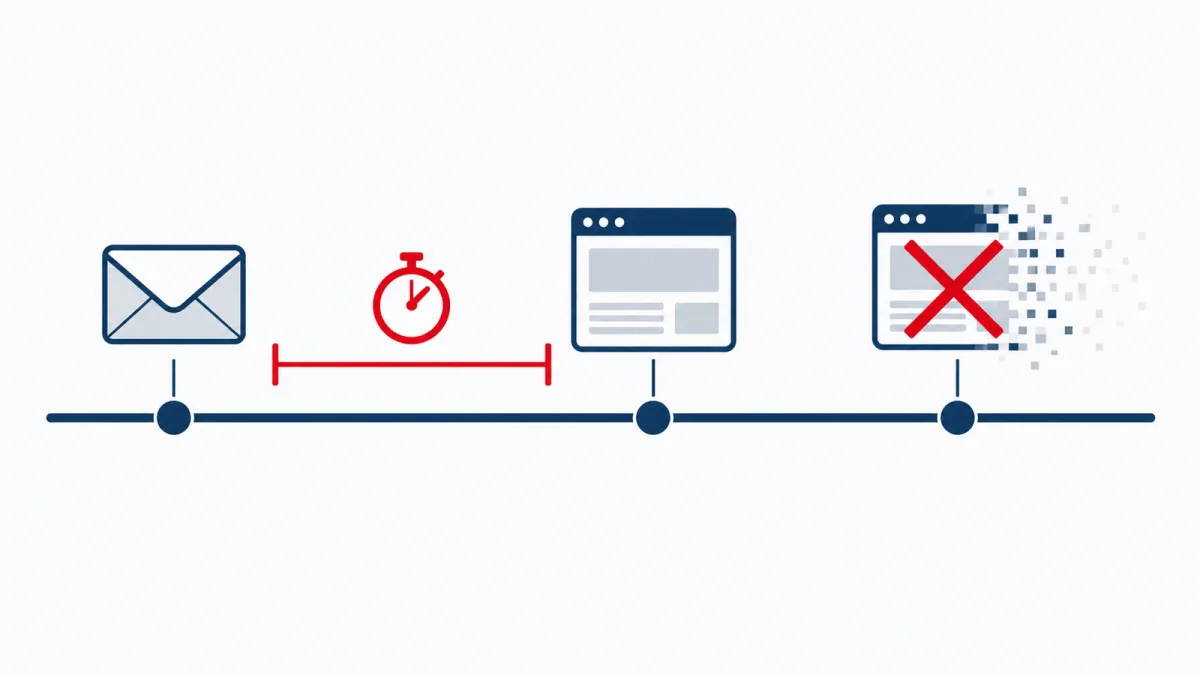
OpenSourceMalware’s report on phishing associated with GhostAction describes just such a case. According to the researchers’ timeline, on 9 October 2026 the domain my-github[.]com hosted a fake sign-in page. By the following day, its main address was already redirecting visitors to GitHub. That is a short window, although those observations alone do not establish how long every path used in the campaign remained active.
The page did more than copy the service’s logo and colours. It sat between the visitor and GitHub, acting as a reverse proxy: it retrieved content from the genuine site and rewrote addresses so that browsing passed through the attackers’ infrastructure. The user saw a familiar environment, while whoever controlled the domain could interfere with the sign-in process.
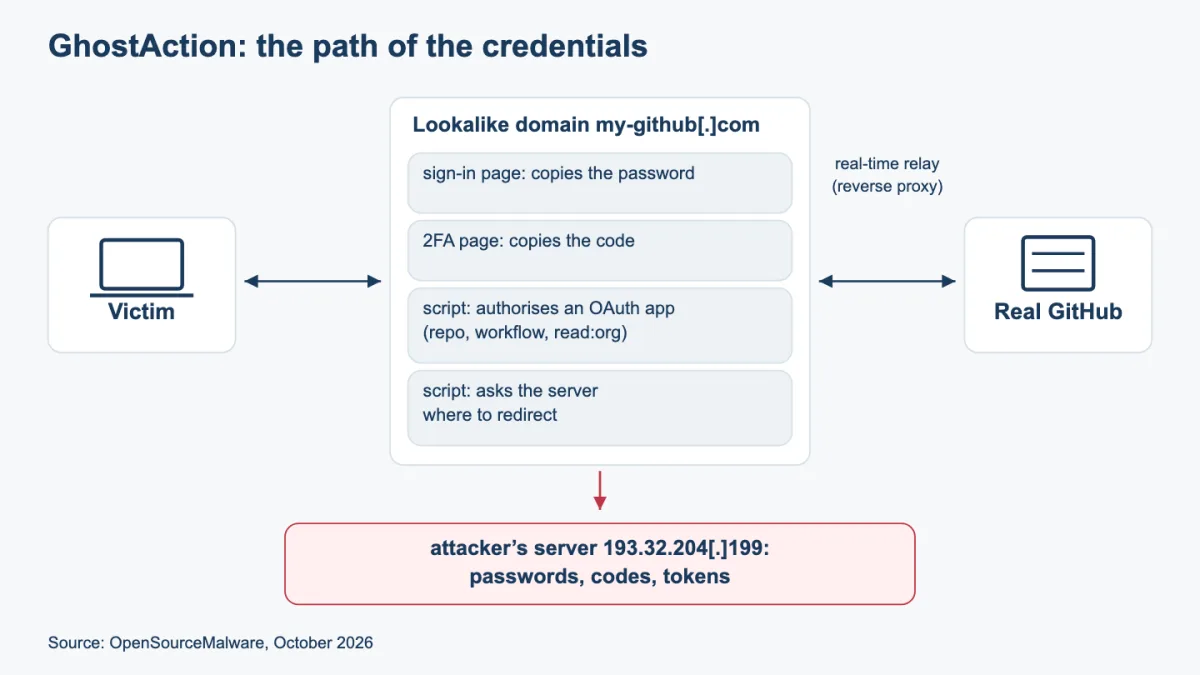
The analysis describes the collection of usernames and passwords, a fake screen requesting an authenticator code, and a script designed to authorise an OAuth application with broad repository permissions. Another script periodically asked the server where to redirect the visitor, allowing the final destination to change during the session.
OpenSourceMalware links this infrastructure to GhostAction, the campaign known for stealing secrets through GitHub Actions workflows. That connection should be attributed to the report: as noted in the sources accompanying the original draft, another researcher has questioned it. For evidence preservation, though, a different detail matters most. What made the phishing attack possible to reconstruct was an archive of the victim’s network traffic: a HAR file.
That file retained requests, responses and details that the vanished page could no longer provide. Researchers were able to inspect the scripts, identify the addresses used to collect data and follow the sequence of events. The phishing email alone would have told them much less.
What a screenshot leaves out
A screenshot is useful. It shows the message on the screen, the design that made it convincing and, sometimes, the address being visited. If it is all you have, keep it. But when the question is how the page worked, an image leaves a great deal unanswered.
Where did the form send its data? Which scripts were loaded? Did the browser receive a redirect? Which server responded? And when was the material captured?
Saving the page from the browser or printing it to PDF also captures only part of the picture. A dynamic page depends on resources and requests made after the initial load. Open it outside that context and some of its content may be missing. A PDF preserves a visual representation, but it does not, on its own, document the network exchanges that produced it.
A forensic acquisition brings these different traces together and makes their preservation process open to scrutiny. It cannot recover content that has already disappeared, and it does not, by itself, guarantee a particular legal outcome. What it provides is material that can be examined later, even when the original site is no longer available.
How C.E.R.T.O. preserves a browsing session
With C.E.R.T.O.’s Web Pages module, the operator opens the site in an integrated browser and starts recording. From that point, the program collects the network traffic observed during the session and documents what appears on screen. At the end, these records are brought together in an acquisition package.
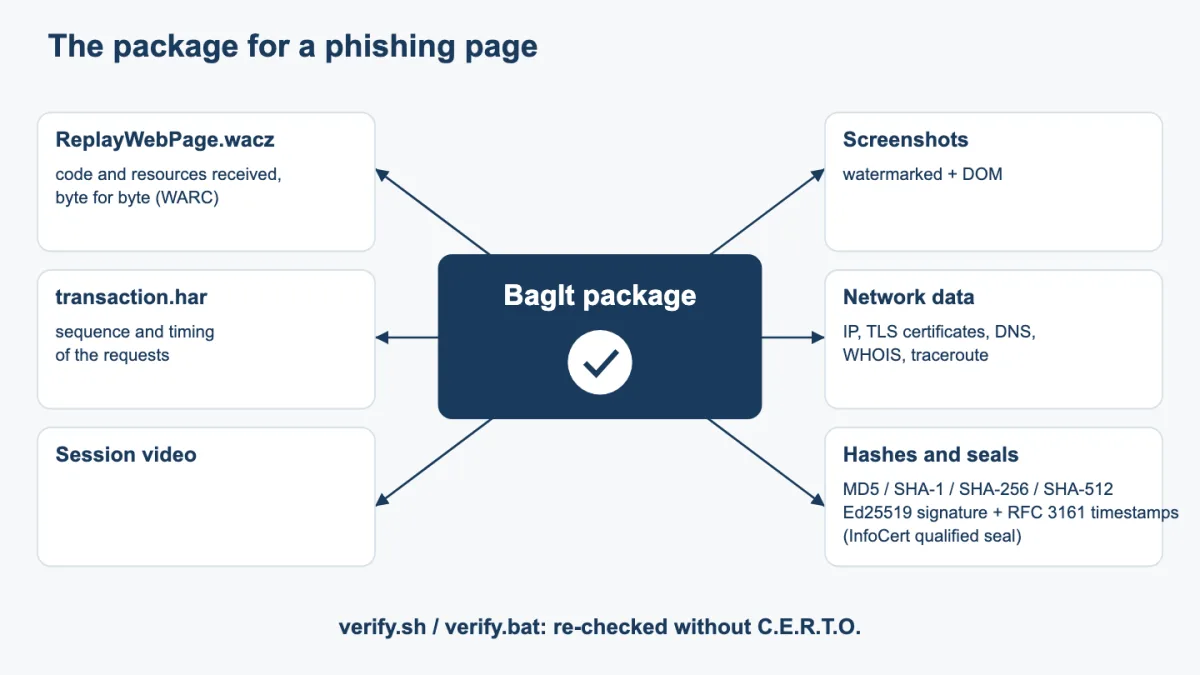
A central part of that package is the WACZ archive. This open format packages the browsing records in a WARC archive, together with the indexes and information needed to consult them. The ReplayWebPage.wacz file contains the captured resources, recorded requests and responses, a list of visited pages and content hashes.
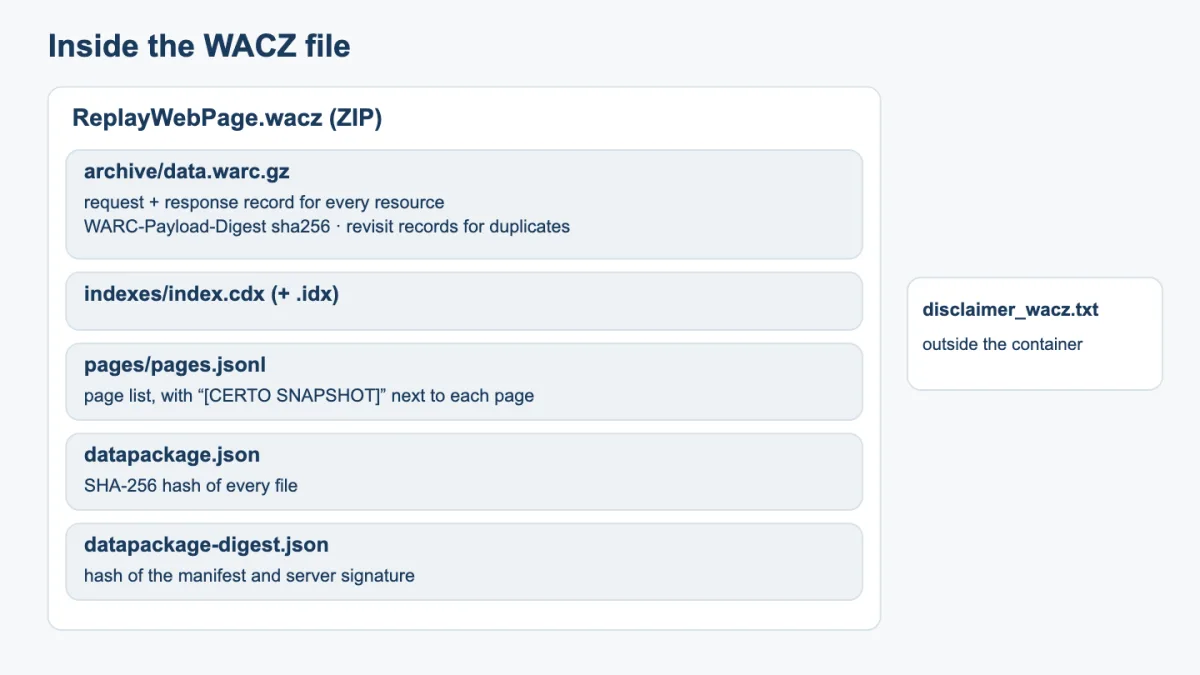
For someone investigating phishing, this means being able to return to the HTML and scripts collected during the visit. If the browser captured a script that sends credentials to a particular address, that code can still be examined after the site has been taken down. The package can, of course, contain only what was actually observed and recorded during the session. Visiting the first page does not automatically document every stage of the attack.
Replaying an archived site presents a practical problem of its own. Some pages try to contact services that are no longer reachable and end up displaying an error. C.E.R.T.O. therefore supplements the network capture with a DOM snapshot: a copy of the page’s structure as it appeared in the browser. This copy, labelled “[CERTO SNAPSHOT]”, has its scripts removed and a security policy applied to prevent script execution. The transformation is disclosed, and the copy remains separate from the content captured from the network.
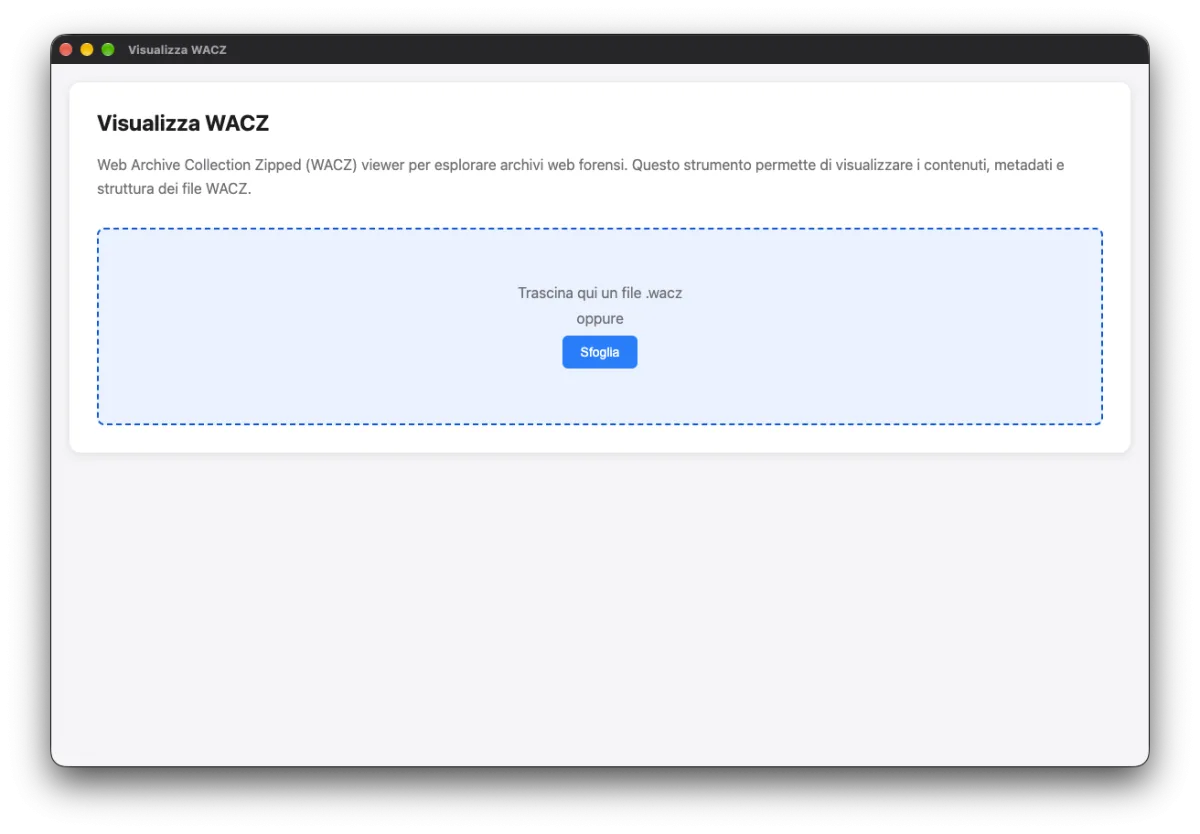
The package also includes a bilingual explanation, disclaimer_wacz.txt, describing these replay limitations. The WACZ can be opened in a compatible reader such as ReplayWeb.page, or in the reader available within C.E.R.T.O.’s Forensic Utilities.
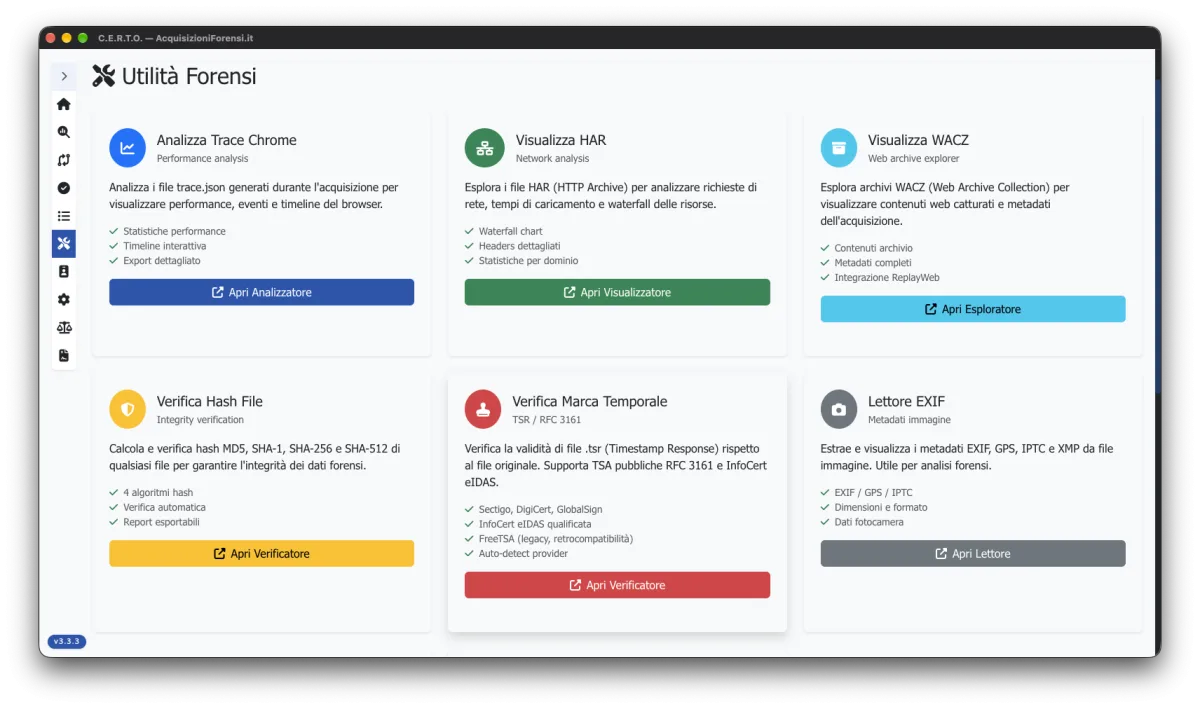
Alongside the web archive, the program saves network/transaction.har. This record lets an examiner follow the session through the addresses contacted, headers, timings and redirects. WACZ and HAR complement each other: the examiner can move from the content of a response to the time and circumstances in which it was received.
Video and screenshots show the same sequence from the perspective of the person browsing. They document what the operator saw and did, including any sign-in prompts and subsequent steps. Images carry a watermark with the address, date, time and acquisition identifier; DOM snapshots are also retained. This material helps explain the case to someone who does not need to inspect the details of a script or an HTTP request.
The server, the hashes and the time reference
The visible page is only part of the acquisition. The package also collects information about the infrastructure contacted: IP addresses, TLS certificates, DNS queries, WHOIS data and the network route. A recently registered domain or an address shared with other resources may guide further enquiries, though neither automatically identifies the person behind the fraud.
At the end of the session, cryptographic hashes are calculated for the files. These allow an examiner to check whether the material has changed since the package was created. The manifest is signed using the workstation’s Ed25519 key, and the process includes RFC 3161 timestamps. In version 3.3, as described in the original draft, the package’s outer seal receives an eIDAS qualified electronic timestamp issued by InfoCert.
Each element serves a different purpose. A hash allows a file’s integrity to be checked; a timestamp binds the timestamped data to an independent time reference. It does not, by itself, certify that every statement on the website was true, or identify the page’s author. The workstation’s clock is also checked against NTP servers, with any discrepancy recorded in the report.
The resulting package follows the BagIt format and includes reports, an HTML dashboard that can be viewed offline, and verification tools for Windows and environments able to run the verify.sh script. It can therefore be handed to an examiner or another person working on the case and checked without access to the same C.E.R.T.O. installation. An acquisition can also be verified using its code.
If the site has already changed
Returning to a domain and finding the genuine service does not necessarily mean the original link was harmless. The server’s response may have changed. That situation can also be documented, provided the limits are clear: a redirect observed today does not, on its own, prove which page was there yesterday.
The original email then becomes particularly important. Preserving the complete message, including its headers and links, allows it to be examined alongside whatever traces remain. Any network archives already collected may provide further pieces of the reconstruction.
After the acquisition, the OSINT module can be used to investigate the domain, IP address and sender’s domain further. Queries to public registries, DNS, RDAP and certificate transparency logs may reveal dates, allocations and connections between resources. Each finding needs to be read alongside its source and the time it was retrieved. Knowing which provider a server is assigned to, for example, is not the same as knowing who was using it for phishing.
Preserving the evidence and reporting the abuse
Reports to the impersonated service, domain registrar, hosting provider and browser protection services can help get a page taken down. That is their purpose. If its content needs to be documented, the available evidence should therefore be collected promptly, without allowing that work to delay securing the affected accounts.
The acquisition package can then support the account of what happened and any report to the authorities, giving the people examining the case more than the link received by email.
A fraudulent page can be replaced within hours. Recorded requests, preserved code and images of the session allow it to be studied long afterwards. In the case described by OpenSourceMalware, a traffic archive kept that possibility open after the domain had already begun showing something else.